Enhancing Your Scanner Experience: A Detailed Look at Installation Procedures
Professional installation is more than unpacking a device. A step-by-step look at the checks, updates and configuration that go into making your scanner production-ready.
Enhancing Your Scanner Experience: A Detailed Look at Installation Procedures
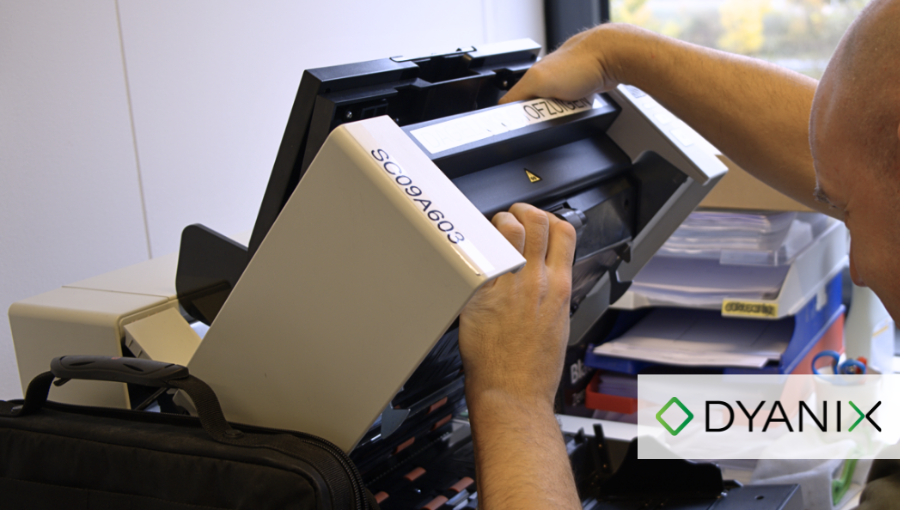
As highlighted in our earlier blog post “Why you should opt for an Installation Service when buying a new scanner”, it is helpful to understand the procedures undertaken to guarantee a seamless start to your scanning operations, when investing in professional installation services for your document scanner. Here is a more detailed look at the activities carried out during installation:
- Unpacking and Inspection: The process begins with the careful unpacking of the machine, accompanied by a thorough examination for any potential damage encountered during transport.
- Registration and Documentation: The scanner's specifications are registered and cross-checked to ensure they match the contract, creating a comprehensive documentation framework.
- Firmware Updates: If deemed necessary, the installation process includes the installation of the latest firmware on the scanner. This ensures your scanner operates with the most up-to-date technology, optimising its performance.
- Functional Testing: Our field service engineers conduct extensive testing via their laptops to guarantee that the scanner functions 100% correctly. This testing phase is crucial in identifying and addressing potential issues before they impact your daily operations.
- Software Application Installation and Collaboration: Depending on the situation, the necessary applications and user manuals, are installed on the customer's PC in collaboration with the local IT department. This collaborative approach ensures a smooth integration of the new scanner into your existing infrastructure.
- User Training: Beyond the physical setup, professional installation services encompass providing detailed instructions regarding the operation and daily maintenance of the scanner. This knowledge transfer ensures that your team can utilise the scanner to its full potential.
* When installing Kodak Alaris scanners, the installation service does not include software installation and configuration of non-Kodak products. This distinction is made to maintain a focused and efficient installation process, addressing the unique considerations of Kodak software when necessary.
Conclusion
These steps emphasise the importance of professional installation services to provide you with a seamlessly integrated, high-performance scanning solution. From unpacking to operational guidance, each activity is a vital component to unlock the full potential of your document scanner.
Ready to enhance your scanning operations? Contact us today to learn more.
Ready to digitise your documents?
Lorem ipsum dolor sit amet, consectetur adipiscing elit, sed do eiusmod tempor incididunt ut labore et dolore magna aliqua. Ut enim ad minim.